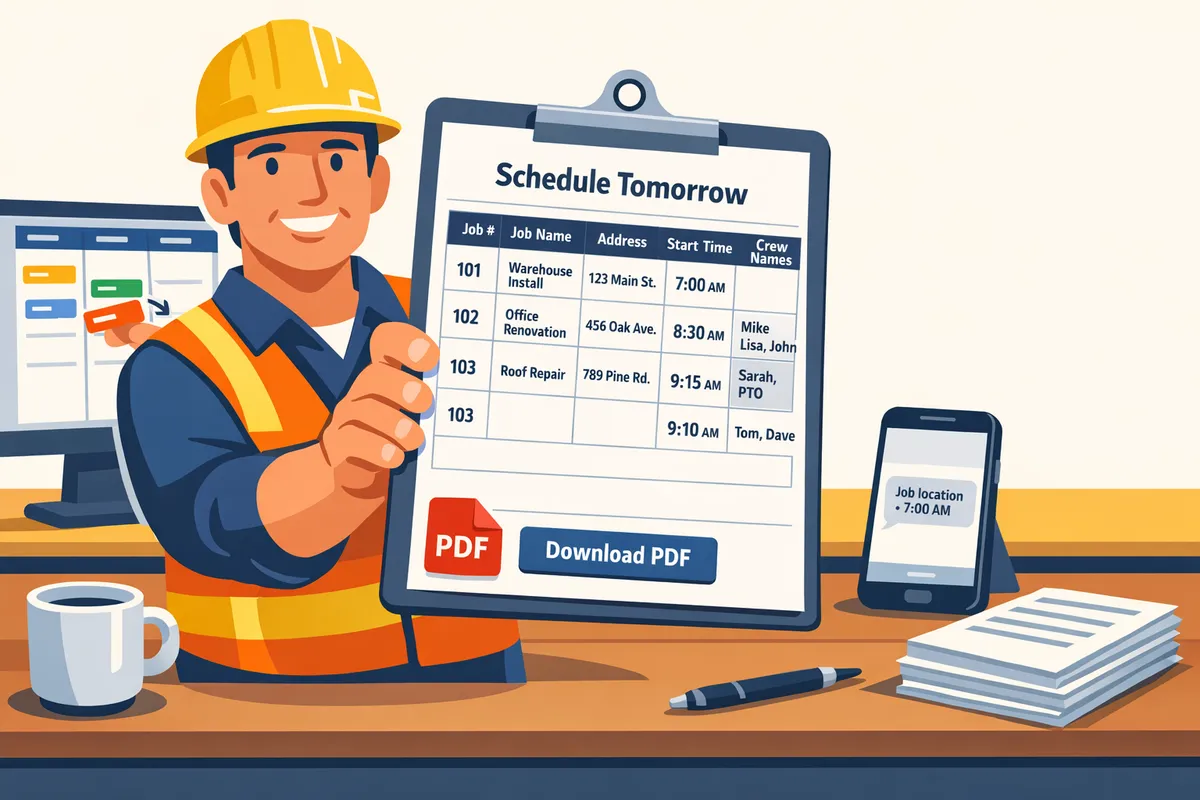
AACE 37R-06 Schedule Levels (L0-L5) Explained for Trade
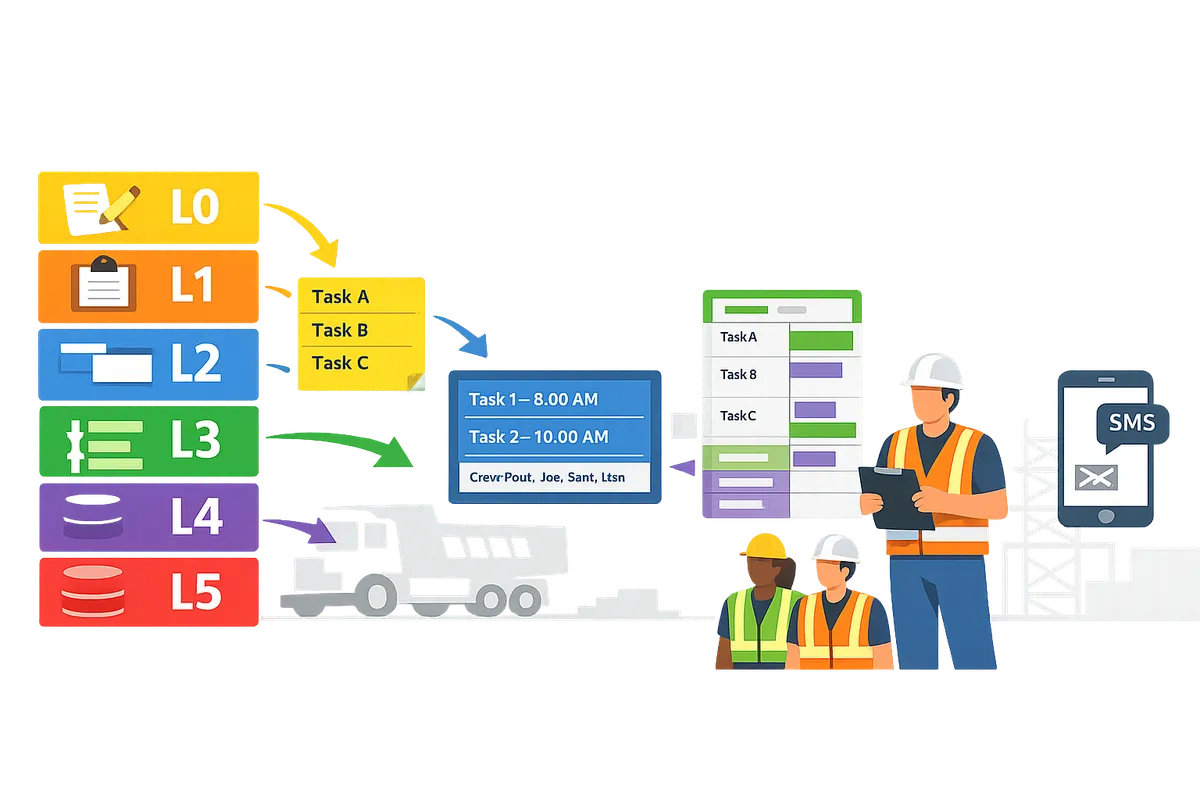
AACE 37R-06 Schedule Levels (L0-L5) Explained for Trade
A single misclassified schedule level can send a 10-person crew to the wrong site or leave them missing critical prep, costing a full day of labor. AACE 37R-06 schedule levels are an industry standard that defines five detail tiers (L0–L5) for how much scope, timing, and risk a schedule should convey. This article explains how to apply AACE 37R-06 schedule levels to daily crew scheduling so small trades operators choose the right level to avoid double-booking and unclear instructions. Our CrewSheet day board maps each level to concrete actions, such as which job-card fields to populate, how to set start times, and which SMS template to send via the drag-and-drop assignment flow in our assigning crew guide. Below we turn L0–L5 into practical rules you can use on the job.
How do AACE 37R-06 schedule levels define L0–L5 and what does each level mean?
AACE 37R-06 is a recommended practice that classifies schedule fidelity using Classes 5 through 1, not L0–L5. AACE uses schedule Classes (Class 5 = lowest fidelity, Class 1 = highest fidelity). Many owners and contractors use L0–L5 as a separate, practical shorthand for reporting and execution tiers; that shorthand is common but not the nomenclature used in AACE 37R-06. State this distinction early to avoid specification drift when you quote AACE requirements or respond to owner requests.
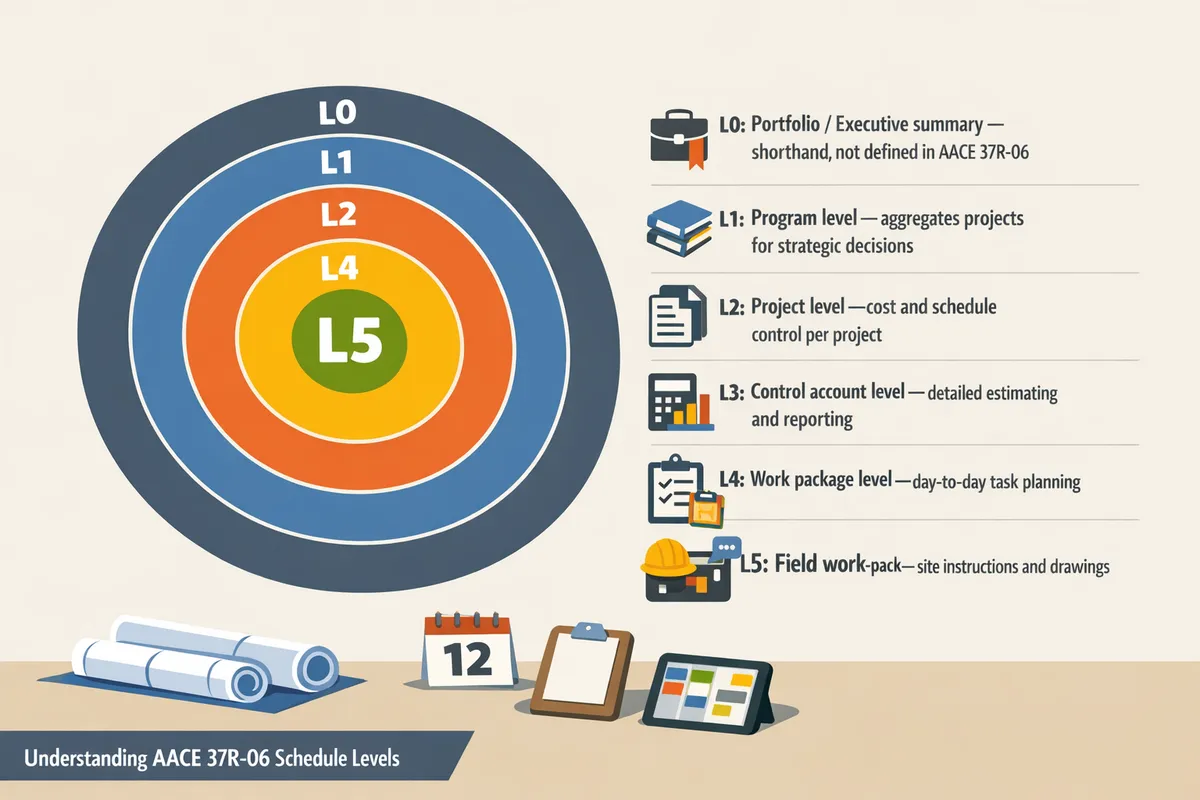
L0–L5 one-line definitions and purpose 📌
This list defines the common L0–L5 labels used in practice and gives each label a concise purpose. L0 is frequently a portfolio-level shorthand and is not defined in AACE 37R-06. Use the L-levels to assign owners, approval gates, and reporting cadence across teams.
- L0 is a portfolio-level summary that groups projects for executive reporting. Purpose: owners use L0 for investment decisions and portfolio performance checks.
- L1 is a project-level milestone plan that aggregates major contract milestones and delivery dates. Purpose: owners and program managers use L1 for contract alignment and milestone acceptance.
- L2 is a resource-phased master schedule that sequences major phases and procurement windows. Purpose: program schedulers use L2 to plan resource flow and long-lead procurement.
- L3 is a CPM control schedule that contains logic-linked activities with measurable progress points. Purpose: contractors and controls teams use L3 for short-term lookaheads, change control, and cost integration.
- L4 is a detailed contractor or work-pack schedule that breaks L3 activities into contractor-specific tasks and crews. Purpose: site managers and foremen use L4 to allocate crews and plan weekly execution.
- L5 is a field-level execution plan and method statement that specifies daily steps, safety holds, and tooling. Purpose: foremen and crew use L5 for day-of execution and jobsite sequencing.
What a typical L3 CPM schedule contains 🗂️
An L3 CPM schedule is the contract-level control schedule used for progress measurement and change control. L3 typically includes WBS-linked activities, logic links (finish-to-start and where needed start-to-start), calendars, constraints, coded fields for cost and discipline, and defined progress measurement points. Contractors use L3 as the contract baseline to produce biweekly lookaheads, forecasts, and earned-value inputs. According to CrewSheet documentation, the day board maps L3 summary outputs into daily crew assignments so operators convert control-level intent into crew SMS notifications without rekeying plans.
Examples of L3 content you should see: logic links that trace critical and near-critical paths, summary bars for major disciplines, baseline and revision history, and clearly defined progress measurement points (for example, milestones that require specific percent-complete triggers).
Crosswalk: AACE Classes (5–1) to common L-level usage
AACE 37R-06 classifies schedule quality as Classes 5 to 1; practitioners often map those Classes to L-levels for delivery and execution. This table shows a typical industry crosswalk and notes where variation is common. Use it as a starting point and confirm with the owner or contract documents.
| AACE Class | Typical L-level (industry) | Typical Use | Notes |
|---|---|---|---|
| Class 5 | L1–L2 | Concept and early-phase sequencing for feasibility and high-level procurement windows | Class 5 has broad assumptions and limited activity detail. |
| Class 4 | L2–L3 | Budget authorization and preliminary control schedule for detailed planning | Class 4 adds more logic and risk inputs than Class 5. |
| Class 3 | L3 | Contract baseline and control-level CPM used for earned-value and change control | Class 3 commonly forms the formal schedule baseline for contractors. |
| Class 2 | L3–L4 | Detailed control with contractor-level tasking for execution planning | Class 2 refines durations and resource assumptions for delivery. |
| Class 1 | L4–L5 | High-fidelity execution and day-level sequencing for field crews | Class 1 supports daily work packs and precise crew assignments. |
Note: crosswalks vary by owner, project type, and contract terms. Do not assume a one-to-one mapping without written guidance from the client or EPC owner.
Where AACE 37R-06 intersects RP 61R-10 and scheduling formats 🔗
AACE 37R-06 defines schedule classification; RP 61R-10 prescribes consistent schedule content, coding, and reporting fields. Use 37R-06 to decide required fidelity and use RP 61R-10 to define which fields (for example, remaining duration and float) must carry between levels. Carry those fields unaltered from L3 into L4 work packs to avoid metric drift and rework.
Owners commonly require Classes equivalent to L0–L2 for governance and milestone compliance; contractors deliver a Class 3 (L3) baseline and descend to L4/L5 for execution. The practical handoff causes the most friction. Ensure your L3 (Class 3) includes the codes and progress points RP 61R-10 specifies so downstream teams can consume L3 outputs without rekeying. See how our schedule board maps control outputs to daily crew assignments in our schedule board guide and follow the assigning crew workflow for day-of execution.
Quick-reference cheat sheet for field operators 🛠️
This one-page cheat sheet tells operators which level to use, a target activity density, and what valid progress input looks like. Pin it to the job trailer or the scheduling board.
- When to pick L2 vs L3.
- Use L2 for phase-level planning that spans multiple months and coordinates procurement. Example: major civil phases and long-lead equipment windows.
- Use L3 when you need contract control, change tracking, and measurable progress for cost integration. Example: the construction contract baseline used for biweekly lookahead.
- Reasonable activity density. Aim for 3–8 control activities per milestone at the L3 level so the schedule stays auditable and the critical path remains visible. Larger EPC packages should break into L4 work packs for daily sequencing.
- Valid progress inputs for day-board updates. Use physical percent complete tied to measurable deliverables (for example, "formwork 60% complete") or binary started/completed flags for discrete tasks. Avoid vague inputs like "working on it." CrewSheet operators translate L3/L4 targets into simple day-board messages that the crew receives by SMS.
💡 Tip: Enforce the single-use rule and PTO visibility on the day board to eliminate accidental double-booking. CrewSheet shows PTO and prevents assigning the same crew member to two jobs the same day.
⚠️ Warning: Building L5 schedules for routine day-of assignments wastes operator time and increases schedule maintenance risk.
If you need operational FAQs about day-board best practices, see Construction Crew Scheduling FAQs. For a practitioner view on mapping CPM to the day board, read L1 L2 L3 schedules in construction. CrewSheet exists to make the day-to-day L3 workflows fast, auditable, and SMS-ready so operators stop managing crew with fragile spreadsheets and group texts.
How do AACE levels map to project controls, owner vs contractor responsibilities, and the risks to avoid?
AACE 37R-06 levels align governance by placing portfolio and milestone authority with owners (L0–L2) and execution responsibility with contractors (L3–L5). Owners set scope, milestones, and acceptance gates at the top levels while contractors deliver CPM detail, lookaheads, and work-pack execution at the lower levels. Clear ownership at contract award prevents scope creep, conflicting progress metrics, and daily site errors that cost crews time. The sections below show who does what, how schedule outputs feed cost and progress systems, common failure modes, measurable governance checks, and a practical hand-off pattern using CrewSheet.
Owner vs contractor: who owns which level and why 🏗️
Owners normally own L0–L2 for strategic scope, milestones, and contract-level baselines while contractors own L3–L5 for detailed execution and field delivery. Owners control portfolio views and key milestone dates so they can align contracts and funding. Contractors are responsible for the L3 CPM schedule used for progress measurement, the L4 logic and resource-loaded sequences used for short-term planning, and L5 work packs and task lists used on the day of work. Make ownership explicit in the contract: name the party that must supply each level, define approval gates, and require an accepted L3 baseline before mobilization. See our guide on L1 L2 L3 schedules in construction for practical examples of how L3 maps to the day board and avoids morning reconciling.
Integrating schedule levels with cost and progress measurement 📊
Map L3 outputs to earned value and use L4/L5 for discrete percent-complete inputs to cost systems. L3 activities provide the activity ID, planned start/finish, and budgeted cost that feed earned-value calculations. L4 and L5 should report percent-complete at the work-pack or discrete-task level so cost accountants can apply partial completions to specific cost accounts. Practical hand-off fields include activity_id, cost_account, planned_quantity, completed_quantity, start_date, finish_date, and percent_complete. Export those fields in CSV from CrewSheet and import them into your cost control or ERP tool to preserve traceability. Align this mapping with RP 61R-10 wording and your PMBOK-based processes so baseline changes and rebaselines follow the same approval path. For day-to-day operations and how the day board feeds lookaheads, see The schedule board.
Common failure modes and how to fix them 🔧
The most frequent failures are mismatched levels between parties, double-booking, and over-detailed daily plans that are hard to maintain. A mismatch occurs when owners expect L2-level detail but contractors publish L4 work packs as the controlling schedule, causing conflicting percent-complete and scope disputes. Double-booking typically arises from separate spreadsheets and invisible PTO. Over-detailed L5 day plans force constant rework when crews shift and make the board unreadable. Fixes that work in practice:
- Require a level-of-detail matrix in the contract that assigns deliverables and approval gates.
- Enforce single-use rules and visible PTO to block double-assignments.
- Use validated templates and a lightweight lookahead (2–6 weeks at L3/L4) instead of minute-by-minute day plans.
⚠️ Warning: If PTO and single-use enforcement live in separate systems, the morning scramble will persist. Put PTO visibility into the scheduling board used for day-of assignments.
Link operational fixes to the practices in our Construction Crew Scheduling FAQs to stop common spreadsheet-and-group-text failure modes.
Measurable outcomes and governance checks to add to your process 📈
Track schedule fidelity by level, activity ownership, lookahead coverage, and field execution variance as governance KPIs. Define each metric so teams measure the same thing: schedule fidelity by level equals the percent of required activities delivered at the declared Lx detail and approved on time. Activity ownership means every activity has a named responsible person and contact. Lookahead coverage is the percent of upcoming work with validated L3/L4 detail for the next 4 to 6 weeks. Field execution variance is the percentage difference between planned start/finish and actual start/finish at the activity level. For trades, pragmatic operational KPIs include the monthly count of double-booking incidents and average time-to-notify crew when assignments change. Add simple audit checks to routine hand-offs: require CSV exports to include activity_id and owner before payment milestones or progress claims are accepted.
Practical tools and hand-offs: CrewSheet as the execution bridge 🔁
CrewSheet is crew-scheduling software that converts L3/L4 schedule intent into day-of assignments, roster exports, and one-way SMS notifications. The practical hand-off pattern we recommend: the contractor exports an L3/L4 extract (activity IDs, job_id, start_date, duration, ideal_crew_size) as CSV, imports jobs and rosters into CrewSheet, prepares a filtered day board, assigns crew from a PTO-aware pool, and sends SMS templates to assigned workers. Useful CSV column suggestions: job_id, job_name, address, start_time, ideal_crew_size, activity_id, cost_account, crew_name, crew_phone, pto_flag. CrewSheet enforces single-use assignment, shows PTO inline, and logs sends so the operator avoids copy-paste errors and scattered group texts. See our procedural guide on Assigning crew for the exact board workflow.
💡 Tip: Export the L3 activity_id and cost account columns with every hand-off so cost teams can reconcile progress without manual lookups.
Frequently Asked Questions
This FAQ gives concise, actionable answers to common operational questions about applying AACE 37R-06 schedule levels (L0–L5) to trade day boards. Each answer starts with a single-line, extractable statement followed by practical next steps or examples you can use on the job.
What is the simplest way to label schedule levels on a daily crew board? 🗂️
Label each schedule file or export with its AACE level using a consistent filename convention. For example: ProjectName_L3_Control_2026-10-12.csv. This single-line convention makes it trivial to match day-board exports to the correct control schedule and prevents accidental mixing of L3 and L4 data when importing or auditing.
Practical steps: add a dedicated "Level" column to any CSV exports and include the level in the filename. Use CrewSheet imports to map the CSV's Level column into job metadata so the day view shows the schedule level on each job card. For a governance reference, see our guide on L1 L2 L3 Schedules in Construction: From CPM to Day Board.
💡 Tip: Adopt the filename pattern Project_ScheduleLevel_YYYY-MM-DD for both PM tool exports and day-board snapshots to speed audits.
Should small trade contractors build L3 or L4 schedules for daily work? 🧩
Small trade contractors should default to L3 for control and add L4 only when tasks require work-pack instructions or procurement sequencing. L3 gives measurable control without the admin overhead of L4, while L4 is justified when a task needs detailed step-by-step instructions, specific tooling, or serialized procurement.
Example: a 6-person HVAC crew uses an L3 control schedule for task milestones and start dates; the same contractor creates an L4 work pack only for complex rooftop unit installs that require lift permits and vendor-supplied parts. Use CrewSheet for L3 day-of execution and export L4 work-pack tasks as attachments or job notes for foremen.
How do I avoid double-booking crew when using multiple schedule levels? 🔁
Avoid double-booking by enforcing a single-use rule at the day-of scheduling layer and syncing PTO into the available pool before assignments. Single-use enforcement prevents assigning a worker to more than one job on the same date, and visible PTO removes unavailable resources from the pool.
Operational steps: lock the day-board assignment as the authoritative roster for the date, publish it, then let foremen request changes through a single point of contact. CrewSheet supports single-use enforcement and shows PTO in the pool so the scheduler never drags someone who is off. For crew assignment mechanics, see The schedule board.
⚠️ Warning: Relying on duplicated spreadsheets for availability invites silent conflicts; consolidate PTO and the day-of roster into one source before sending messages.
Can I map a Primavera L3 schedule down to a CrewSheet day board? 🔗
Yes. Export the control-level activities or milestones as CSV fields and import them into CrewSheet's day view. Include core fields such as activity name, planned start, discipline, and ideal crew size so the day-board reflects control priorities.
How-to example: export a filtered L3 activity list from Primavera, add a Level column set to L3, and include any foreman names or crew-size guidance. Import that CSV into CrewSheet, then use the board to assign individual crew and send SMS notifications to the assigned workers.
How often should each level be updated during a project? ⏱️
Update frequency should match the level's purpose: L0 rarely, L1 monthly, L2 biweekly to monthly, L3 weekly or biweekly, L4 weekly, and L5 daily. These cadences balance governance needs with the work execution rhythm and reduce rework from stale information.
Example cadence: an owner-level milestone set (L1) updated monthly after stakeholder reviews; the contractor's L3 control schedule updated weekly to reflect changes in labor or material lead times; foremen update L5 daily on the day board. Capture these cadences in project governance and enforce them with scheduled exports or comments in your PM tools and CrewSheet.
Does AACE 37R-06 mandate a software tool or format? 🖥️
No. AACE 37R-06 defines levels of detail and expectations; it does not mandate a specific software or file format. The guidance focuses on what information each level should contain and how it should support approvals, control, and execution.
Practical implication: pick tools that map easily between levels. Many teams run L2/L3 in Primavera or MS Project and use a day-board tool for L5. CrewSheet fits the day-of execution layer, accepting CSV imports from PM tools and sending assigned workers one-way SMS without requiring field-worker logins.
What are quick wins for trades adopting AACE levels this week? ⚡
Quick wins include labeling existing schedules with their AACE level, enabling PTO visibility before the next assignment cycle, and importing one project's day into CrewSheet to validate crew notifications. These steps reduce manual messaging and immediately cut errors that cost time and labor.
Actionable checklist: 1) Rename current schedule exports with the Level tag. 2) Consolidate PTO into the pool and lock it before assigning. 3) Import a single day's L3 activities into CrewSheet and send the roster to the crew as a dry run. For a structured routine you can adopt, see Construction Crew Scheduling FAQs and our product page for Crew scheduling software for trades that move jobsites every day.
Practical next steps for using AACE 37R-06 schedule levels
Use the L0–L5 hierarchy to map program-level intentions down to the day-by-day crew assignments that foremen need. AACE 37R-06 schedule levels give you a clear spine: link L1 milestones to L2 phase plans, then convert those into L3 day boards so operators can make reliable daily crew choices. This reduces double-bookings, keeps PTO visible, and makes start-time communication repeatable rather than ad hoc. See our guide on L1 L2 L3 schedules in construction for a practical mapping workflow.
Create your first day board in Crew Sheet with our getting-started guide to test an L3 assignment that reflects higher-level L2/L1 constraints. That single action shows how AACE 37R-06 schedule levels work in practice and makes morning sends predictable instead of frantic. Learn the mechanics on the schedule board and then build a live day board.
💡 Tip: Always check PTO indicators on the day board before sending the roster.
Create your first day board in Crew Sheet with the getting-started guide. Subscribe to our newsletter for regular crew-scheduling tips and short operational checklists.